





What Are the Top 10 Types of Touch Switch?
Touch controls are moving from premium appliances into ordinary homes, offices, and public buildings. Grand View Research estimated the global smart home market at USD 127.8 billion in 2023 and projected a 27.0% compound annual growth rate through 2030. That estimate covers a broad market, not Touch Switches alone. Still, it signals why designers are paying closer attention to the controls people use every day.
A Touch Switch responds to a finger or conductive object rather than relying on a conventional moving button. That small change can affect cleaning, installation, feedback, durability, and compatibility with different loads. It also creates trade-offs. A glossy panel may look neat, yet prove difficult to use with wet hands or in bright light. The details matter.
This guide compares ten common types, including capacitive, resistive, piezoelectric, infrared, and proximity-based designs. It also considers practical differences such as sensing method, surface material, operating environment, and typical application. These categories can overlap, and product terminology is not always consistent. That deserves a careful look. The aim is not to declare one type universally best, but to explain what each design does well, where it can fall short, and what buyers should verify in a product datasheet before choosing.
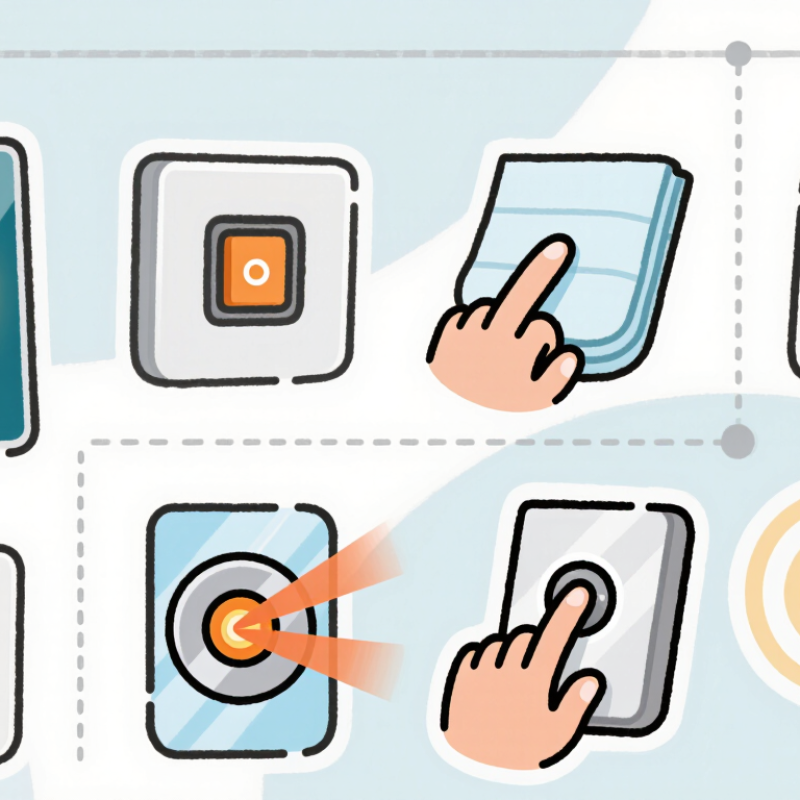
Touch Switch Taxonomy: 10 Types Classified by Their Sensing Principles
Touch switches are grouped by how they detect a finger, not just by their glass or plastic surface. Capacitive self-capacitance sensing detects a change in an electrode’s electric field; mutual-capacitance sensing measures a change between paired electrodes. Resistive switches respond when pressure pushes two conductive layers together. Force-sensitive resistors and strain-based sensors also react to pressure, but measure changing resistance or deformation. They can suit gloved hands, though their feel and durability depend on construction.
Other principles use different physical clues. Surface acoustic wave switches detect disturbances in sound waves traveling across a panel. Infrared beam systems register a finger interrupting a light path, while reflective optical systems detect light returned from a nearby object. Piezoelectric sensors generate a small electrical signal when pressed. Inductive switches detect changes in a magnetic field near a conductive target, and thermal touch sensors respond to heat from a finger. Thermal sensing is less common, and room temperature can complicate readings. These ten categories can overlap in practical designs, so the label alone does not guarantee performance.
Tips: Match the sensing principle to the surface and environment. For example, moisture may affect some capacitive panels, while a mechanical pressure switch needs enough force. Test with the actual enclosure, gloves, and expected lighting. One detail is easy to miss: a sensor that works on a clean bench may behave differently behind thick glass.
Self-Capacitance, Mutual-Capacitance, and Surface-Capacitance Switches
What Are the Top 10 Types of Touch Switch? Self-Capacitance, Mutual-Capacitance, and Surface-Capacitance Switches
Capacitive touch switches detect changes in electrical charge rather than mechanical movement. Surface-capacitance designs use a conductive coating and electrodes around the panel’s edge. When a finger touches the surface, it draws a small charge; sensors estimate the touch location. The structure is simple, but accurate multi-touch detection can be difficult. Self-capacitance designs measure each electrode’s capacitance to ground. They can respond well to a single touch, though multiple fingers may create ambiguous signals. Mutual-capacitance designs measure the electrical coupling between crossing transmitter and receiver electrodes. This grid supports clearer multi-touch sensing and is widely used in interactive displays.
These methods matter as touch interfaces spread across appliances, control panels, and public equipment. Fortune Business Insights valued the global touchscreen market at USD 75.54 billion in 2023 and projected continued growth in its 2024–2032 report. That market figure covers touchscreens broadly, not touch switches alone, so it should not be read as a direct comparison of sensing methods. In practical testing, water droplets, gloves, grounding, and nearby electrical noise can all affect response. A clean lab result may not survive a damp kitchen.
Tips: Match the sensing method to the use case. For a single-button panel, self-capacitance may be sufficient. For reliable multi-touch, mutual capacitance is usually the stronger choice. Test with real users and real surfaces; specifications do not tell the whole story.
10 Types of Touch Switches by Sensing Principle
The chart groups ten touch-switch technologies by their primary sensing principle. Counts describe this selected list, not market share or popularity.
Examples included: self-capacitance, mutual-capacitance, surface-capacitance, resistive, force-sensitive, piezoelectric, infrared, optical, surface acoustic wave, and inductive switches. Technologies are grouped by their primary detection method.
Resistive, Surface-Acoustic-Wave, and Infrared Touch Switches
Resistive touch switches respond when pressure brings two conductive layers together. A fingertip, gloved hand, or stylus can activate them. The surface may feel slightly flexible, and repeated pressing can wear the layers over time. They suit simple control panels where reliable input matters more than a glass-like feel. Still, choosing one without checking its expected use can be a mistake.
Surface-acoustic-wave switches send ultrasonic waves across a glass surface. A finger interrupts the waves, and sensors locate the touch. The glass can remain clear and smooth, which helps when users need to see a display beneath it. Cleanliness matters. Water droplets or dust may interfere with readings, so these switches need a suitable environment and regular care. I would not assume they perform equally well in every setting.
Infrared touch switches use beams arranged around the screen’s edges. A finger blocks specific beams, allowing the system to estimate touch position without pressing the surface. This can work with different objects and avoids a layered sensing surface. But the frame needs space, and strong sunlight or debris near the sensors may cause trouble. A quick test under real lighting is useful; it can reveal problems a specification sheet misses.
Optical, Inductive, Piezoelectric, and Force-Sensing Touch Switches
Optical touch switches detect interruptions or changes in a light path. A fingertip can activate a small infrared sensor without pressing a moving button. This design suits sealed panels in kitchens or labs, where spills and dust are concerns. It responds quickly, though direct sunlight or a dirty sensor window may affect detection. Keep the sensing area clear.
Inductive touch switches detect changes in an electromagnetic field, often caused by a nearby metal object. They work well behind nonmetallic panels, such as a plastic machine cover, and have no exposed contacts to wear down. Piezoelectric switches generate a small electrical signal when pressed; they can sense a brief tap through a rigid surface. The feedback may feel subtle. Force-sensing switches go further by measuring how firmly someone presses, which helps distinguish a light touch from an intentional command. That detail matters when gloves, vibration, or accidental contact are common.
Each type has trade-offs. Optical sensing needs a clean path, inductive sensing depends on target material and distance, and piezoelectric elements may need careful signal filtering. Force sensors can provide useful control, but calibration is not always simple. Test the switch in its actual panel and environment; a bench result can be misleading.
Compare ESD Robustness: IEC 61000-4-2 Tests Include ±8 kV Air Discharge
Touch switches come in several forms: capacitive, resistive, piezoelectric, infrared, optical, surface-acoustic-wave, force-sensing, mutual-capacitance, self-capacitance, and projected-capacitive designs. Their sensing methods differ, but each needs protection against electrostatic discharge in its intended environment. A switch mounted beside a metal bezel may face a different discharge path from one beneath an insulating panel. Small details matter.
IEC 61000-4-2 testing helps compare that robustness. An ±8 kV air-discharge test brings a charged electrode toward the device without direct contact. The result can depend on approach speed, humidity, enclosure shape, and the exact test point. Look for the tested configuration, not just a voltage claim. Was the discharge applied near the sensing surface, connector, or housing seam? Did the switch recover by itself, or did it require a reset? Those distinctions are practical.
Bench testing is useful, but it does not perfectly reproduce every user, fingertip, or installation. I would treat a single pass as evidence, not certainty. A more reliable evaluation records repeated discharges, operating conditions, false activations, and recovery behavior. Real products can still surprise you.
| Touch-switch type | Sensing principle | Typical applications | ESD-sensitive areas to consider | IEC 61000-4-2 comparison |
|---|---|---|---|---|
| Self-capacitance | Detects a change in capacitance between an electrode and ground when a finger approaches or touches the surface. | Touch buttons, control panels, appliances | Exposed electrodes, sensor traces, and the controller input can couple transient energy into the sensing circuit. | ±8 kV air discharge is a standardized test level; passing it depends on the complete product design and test setup. |
| Mutual-capacitance | Measures a change in coupling between transmitting and receiving electrodes. | Multi-touch panels, displays, touch interfaces | Electrode layout, panel grounding, controller protection, and cable routing influence the result. | Evaluate the assembled interface at the selected IEC test levels; the sensing method alone does not establish an ESD rating. |
| Resistive touch | Pressure brings conductive layers into contact, changing the measured resistance or voltage. | Industrial terminals, control panels, equipment used with gloves | The touch surface, flexible layers, connector, and measurement electronics may provide paths for transient coupling. | ±8 kV air can be included as a test point where appropriate; report results only for a tested product configuration. |
| Infrared optical | Detects interruption or reflection of infrared light near the touch surface. | Large displays, public kiosks, frames around displays | Emitter and receiver electronics, wiring, and exposed frame structures require attention. | ESD performance is determined by enclosure, grounding, protection, and the applicable test points—not by optical sensing alone. |
| Piezoelectric | Uses electrical charge generated by mechanical stress, such as a press or tap. | Sealed buttons, metal-panel controls, rugged interfaces | Piezoelectric elements and high-impedance signal inputs may need suitable circuit protection and layout. | Test the complete switch assembly and connected electronics; ±8 kV air is a standardized IEC test level. |
| Surface acoustic wave (SAW) | Detects touch by sensing changes to acoustic waves traveling across a surface. | Specialized touch screens and glass interfaces | Transducers, their connections, and the controller are potential coupling points for ESD transients. | Use product-level IEC testing to establish immunity; the sensing principle does not imply a particular pass level. |
| Ultrasonic touch | Uses ultrasonic signals and detects changes caused by contact with or interaction at a surface. | Specialized panels, interactive surfaces | Acoustic transducers, signal paths, and exposed conductive parts can affect ESD behavior. | Choose test points according to the product’s use and accessible surfaces; document the tested configuration. |
| Inductive touch | Detects changes in an electromagnetic field or inductance near a conductive sensing element. | Metal-surface controls, sealed interfaces | Coils, sensor circuitry, enclosure bonding, and nearby conductive structures influence transient coupling. | Assess the finished assembly using the applicable IEC 61000-4-2 method and selected test levels. |
| Force-sensing touch | Detects applied force using a force-sensitive resistor, strain element, or related pressure sensor. | Pressure-sensitive buttons, human-machine interfaces | Sensor leads and analog front-end inputs may be susceptible; mechanical force sensing does not itself specify ESD immunity. | ±8 kV air may be used as a test level when relevant; immunity must be verified by testing the product. |
| Optical image-based touch | Uses cameras or optical sensors to locate a touch or gesture from changes in an observed surface or field. | Interactive walls, large-format displays, gesture interfaces | Camera modules, interface cables, exposed frames, and system grounding are relevant design considerations. | Test accessible points on the assembled system; an IEC test level is not a guaranteed performance claim. |
| Comparison note: IEC 61000-4-2 defines ESD immunity test methods and levels. Its standard level set includes ±8 kV air discharge; this is a test level, not an automatic pass criterion for every touch-switch type. Actual robustness depends on the complete product, test points, setup, and acceptance criteria. Consult the applicable edition of the standard and product requirements. | ||||