What Is a Wireless Barcode Scanner?
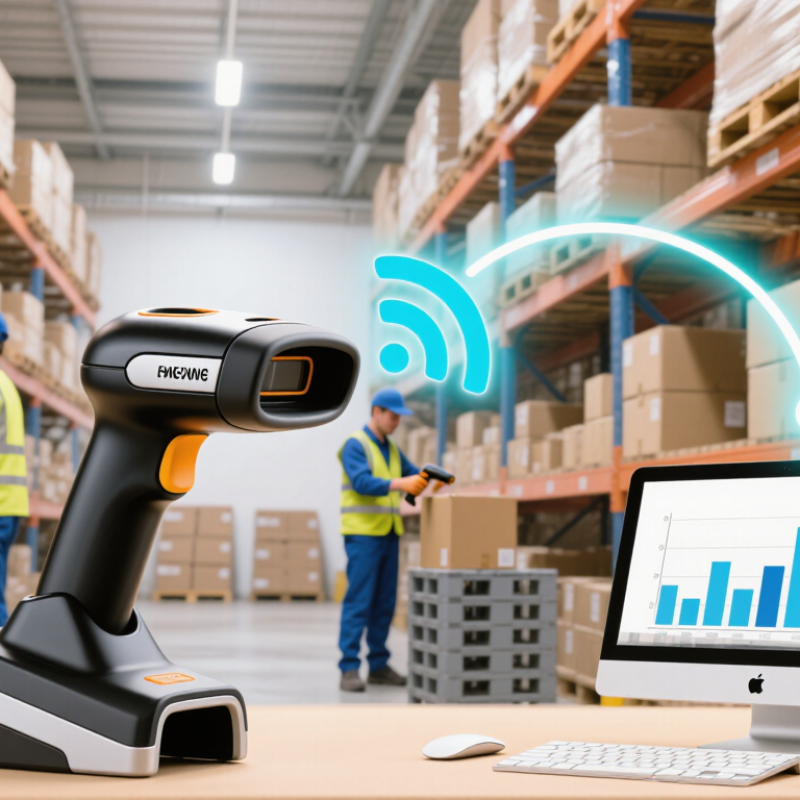
A Wireless Barcode Scanner reads a barcode and sends its data to a computer or mobile device without a wired connection. In a busy stockroom, that can mean scanning a carton on a high shelf, then seeing its item number appear on a nearby tablet. Small detail. Big difference.
George Laurer, the IBM engineer who helped develop the UPC, is associated with a lasting principle: machine-readable codes make product identification faster and more consistent. That principle still matters, though wireless scanning adds practical choices. Buyers must consider connection type, working distance, battery life, durability, and compatibility with existing systems. A scanner that connects easily but loses its signal behind shelving may slow work instead of improving it.
This guide explains how Wireless Barcode Scanner technology works and where it fits in everyday operations. It also compares common connection methods, scanner styles, and key purchasing factors. Real performance depends on the environment, barcode quality, and workflow—not just a product’s advertised range. Some setups need more testing than expected. That is worth admitting. A short trial with the actual labels, devices, and work area can reveal problems before a full rollout.
Definition and Purpose of a Wireless Barcode Scanner
A wireless barcode scanner is a handheld or fixed device that reads the lines or squares printed on a label. It converts that pattern into data, such as an item code or tracking number. Rather than sending results through a cable, it transmits them to a paired computer, tablet, or checkout system. The connection may use Bluetooth or a dedicated radio link. A compatible receiving device is still needed. No cable to drag.
Its purpose is to let workers scan items while moving around a counter, stockroom, or service area. A staff member can scan a box on a high shelf and see its code appear on a nearby screen. This can reduce typing errors and speed up routine inventory or checkout tasks. The setup is not effortless, though: pairing, charging, and signal range need attention. A low battery or damaged label can interrupt a scan.
Tips: Test the scanner at your usual working distance. Keep a charging routine, and check that the host device receives scans before a busy shift.
What Is a Wireless Barcode Scanner?
A wireless barcode scanner reads a barcode, decodes its information, and sends the data to a paired device without a cable.
Barcode capacity depends on the symbol type. UPC-A encodes 12 digits, EAN-13 encodes 13 digits, and a Version 40 QR Code at error-correction level L can encode up to 4,296 alphanumeric characters. These units differ by symbol type; QR Code capacity also varies with error-correction level.
How a Wireless Barcode Scanner Reads and Transmits Data
A wireless barcode scanner converts a printed pattern into digital data, then sends that data to a nearby computer or mobile device. Its light source illuminates the code, while an image sensor captures the reflected pattern. A decoder identifies the bars or squares and translates them into characters, such as a product number. The scanner does not understand what the number means; the connected software looks it up. Not magic.
Reading quality depends on the code and the conditions. A smudged label, glare from glossy packaging, or a damaged corner can prevent a clean scan. In practical setups, keeping the scanner steady and the label within its working distance often helps. Different models support different code formats, so checking compatibility before deployment matters.
After decoding, the scanner transmits the characters over a wireless link, commonly Bluetooth or a dedicated radio connection. A receiver passes them to an application, sometimes as if they were typed on a keyboard. This makes a quick checkout or stock count feel almost immediate. Yet wireless range, interference, pairing, and battery level can affect delivery. Some devices store scans briefly when disconnected; others do not. Test the workflow in the actual work area, including what happens after a dropped connection. One missed scan can leave an inventory record incomplete, and that detail is easy to overlook.
Key Components and Wireless Connection Types
What Is a Wireless Barcode Scanner?
Key Components and Wireless Connection Types
A wireless barcode scanner reads a symbol, decodes its pattern, and sends the result to a nearby device or network. Its optical engine uses a laser or image sensor; many modern models capture an image and interpret it onboard. The decoder and processor turn that capture into characters. Small parts matter. A trigger starts the scan, while a battery and antenna support untethered use.
The radio module handles transmission, and a charging cradle may also act as a receiver. Some scanners store scans when the host is out of range, then upload them later. That feature depends on memory and software, so check the workflow rather than assuming every unit has it. A scanner can beep or vibrate after a successful read, which helps in a noisy stockroom.
Bluetooth commonly pairs directly with phones, tablets, or computers over short distances. A dedicated 2.4 GHz link uses a small USB receiver and can feel responsive at a fixed workstation. Wi-Fi models can join a local network, though setup and security settings need more attention. Walls, metal shelving, and crowded radio channels can reduce reliability. Range figures describe ideal conditions, not guarantees. Testing with actual labels and host devices is unglamorous, but useful.
Common Applications Across Industries
What Is a Wireless Barcode Scanner?
Common Applications Across Industries
Wireless barcode scanners let workers capture item data while moving through a workspace. In retail, staff can check shelf gaps, receive cartons, and count stock without returning to a fixed terminal. The National Retail Federation’s 2023 National Retail Security Survey estimated U.S. retail shrink at $112.1 billion in 2022. A scanner cannot prevent every loss. But timely, traceable counts can help teams find inventory mismatches sooner.
Distribution centers use wireless scanners to verify picks, sort parcels, and update shipment records as goods move. The 2023 Pitney Bowes Parcel Shipping Index reported 161 billion parcels shipped worldwide in 2022. At that scale, a missed scan can create extra searching and rework. Small moments matter. On factory floors, workers scan components beside production lines, rather than carrying paperwork between stations. In healthcare, staff can use scanners to match patient wristbands with medication or supply labels. These workflows depend on accurate labels and consistent procedures, not hardware alone.
Wireless range helps, but dead zones, battery life, and poor item data still cause friction. A scanner does not fix a messy process. That is easy to forget. Teams should test devices in real aisles, cold rooms, or crowded work areas before choosing a setup. The practical benefit is simple: fewer trips back to a desk, and clearer records of what moved, where, and when.
Factors to Consider When Choosing a Scanner
What Is a Wireless Barcode Scanner?
Factors to Consider When Choosing a Scanner
A wireless barcode scanner reads a printed or screen-based code and sends its data to a computer or mobile device without a cable. Choose for the work area, not just the product description. A cashier moving between a counter and shelves has different needs from someone scanning cartons in a stockroom. Range matters. Check the signal across real aisles, with shelves and people in the way.
Confirm whether the scanner connects through Bluetooth or a dedicated receiver, and test it with the devices and software staff actually use. Battery life should cover a full shift; charging time and spare-battery options matter too. Consider drop resistance, dust exposure, and cleaning needs. A smooth demonstration is not a durability test.
Check which barcode types it can read, such as common product codes or two-dimensional codes. Lighting and damaged labels can affect scanning, so try it on the barcodes found at your site. Comfort counts: a trigger that feels fine for ten scans may tire a hand after hundreds. It is easy to overvalue speed. A fast scanner can still slow work if pairing is unreliable or its grip feels awkward. Test before deciding.
What Is a Wireless Barcode Scanner? - Factors to Consider When Choosing a Scanner
| Factor | Options and Typical Characteristics | What to Consider | Suitable Use Cases |
|---|---|---|---|
| Wireless barcode scanner definition | A handheld or wearable scanner that sends decoded barcode data to a host device without a direct data cable. It still needs a power source, usually a rechargeable battery. | Check how the scanner pairs with the host and whether a charging or communication cradle is required. | Mobile checkout, stocktaking, picking, receiving, and other tasks that require movement away from a workstation. |
| Wireless connection | Bluetooth commonly connects directly to compatible computers, tablets, or mobile devices. A proprietary 2.4 GHz radio connection often uses a USB receiver or base station. Wi-Fi models can connect through a network, when supported. | Confirm host compatibility, connection range, pairing process, and whether the receiver or base station is included. Actual range depends on the radio system and the surrounding environment. | Bluetooth suits many mobile-device workflows; a USB receiver can suit a dedicated workstation; network connectivity may suit systems designed for direct wireless network communication. |
| Scanning technology | Linear laser scanners read many one-dimensional barcodes. Imagers capture an image and can read one-dimensional codes; two-dimensional imagers can also read formats such as QR Code and Data Matrix. | Choose a two-dimensional imager if the workflow includes 2D codes or barcodes displayed on screens. Verify that the scanner supports the required barcode types. | Linear codes on labels may need only 1D support; shipping labels, product codes, and digital tickets may require 2D capability. |
| Scan distance and working range | Standard-range models are intended for nearby labels. Extended-range models can read compatible, sufficiently large barcodes from farther away. No single distance applies to every scanner or barcode. | Match the scanner's specified working range to label size, barcode density, lighting, and the distance from which staff need to scan. Test with actual labels when possible. | Counter work often uses short distances; warehouse shelves or large packages may benefit from extended-range capability. |
| Battery and charging | Battery runtime varies with battery capacity, scan frequency, wireless settings, and usage. Charging may be through a cable, a cradle, or a multi-slot charger. | Compare the rated runtime and charging time with the length of a shift. Consider spare batteries or charging locations if scanning must continue through long shifts. | Occasional scanning may need modest battery capacity; intensive shift-based work benefits from a charging plan and easily replaceable or spare batteries. |
| Wireless range and workflow | Wireless range is affected by obstacles, walls, interference, and the connection method. A scanner may store scans temporarily when outside its connection range if its model supports batch storage. | Check the documented range and offline-storage behavior. Confirm how and when stored scans are transferred, and whether the application can handle delayed data. | Useful for large work areas, stockrooms, and field tasks where the host device may not remain beside the operator. |
| Durability and protection | Models differ in drop-test specifications, enclosure protection, and resistance to dust or water. An IP rating describes specified protection against ingress; it does not by itself guarantee resistance to drops or chemicals. | Compare the stated drop conditions and IP rating with the workplace. Consider protective covers and cleaning requirements, and follow the manufacturer's care instructions. | Retail floors may need general everyday durability; warehouses, production areas, or outdoor work may require higher protection. |
| Host and software compatibility | Scanners may send data as keyboard input or use a supported software interface. Compatibility can vary across operating systems, applications, and connection modes. | Verify support for the target computer, mobile device, operating system, and application. Confirm required keyboard layouts, data formats, and configuration tools. | Important for point-of-sale systems, inventory software, tablets, and custom business applications. |
| Security and data handling | Wireless systems can use pairing controls and encryption, depending on the connection method and model. Scanner configuration and stored scan data also affect security. | Review supported security features, pairing procedures, firmware support, and any data stored on the device. Follow workplace policies for wireless devices. | Especially relevant in shared work areas and environments that handle sensitive inventory or customer-related data. |
| Ergonomics and controls | Scanner weight, grip shape, trigger feel, aiming method, and feedback indicators differ by model. Feedback may include lights, beeps, or vibration. | Consider hand size, scan volume, glove use, and whether audible feedback is practical in a noisy environment. Test comfort during repeated scanning. | High-volume scanning, long shifts, and environments where operators need clear confirmation of each successful scan. |
| Total cost of ownership | The purchase price may not include a cradle, USB receiver, charger, spare battery, protective accessories, or software support. | Compare the complete setup cost and expected maintenance needs, not only the scanner's initial price. Check warranty and service arrangements. | Useful when comparing equipment for multiple users, stations, or sites. |